

 Written by Marvin Cavanaugh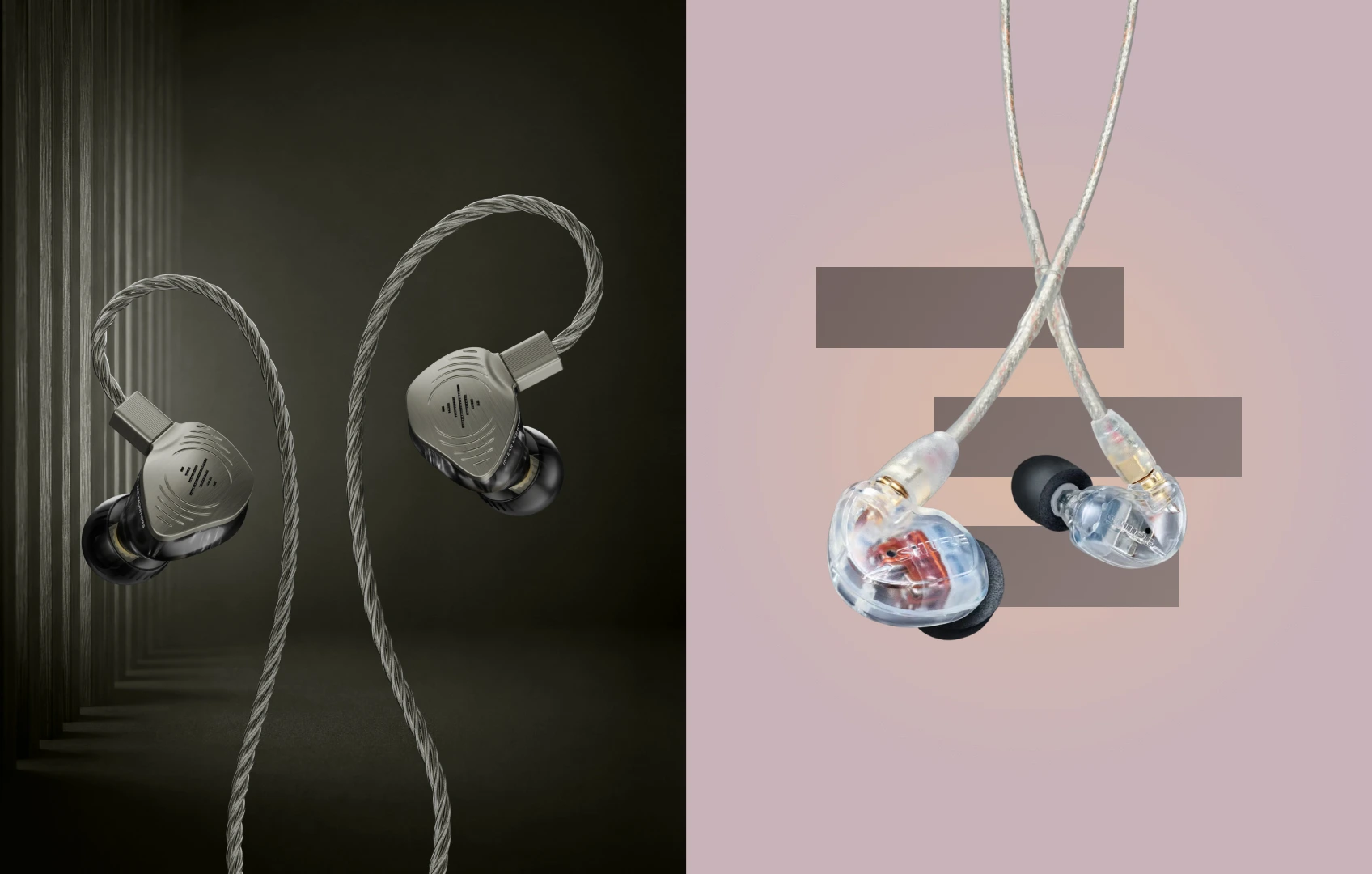
The Headphones Were Supposed to Save the Recording
The conversation felt great. Your guest was relaxed, the stories were flowing, and nobody stopped to troubleshoot anything.
Then you opened the recording. A burst of air hit the microphone whenever the host said a word beginning with P. A laptop fan ran beneath the interview. The remote guest became quieter halfway through. One headphone leaked enough return audio into the microphone to create a faint echo.
Every one of those problems could have been corrected during the session. Now they are editing problems.
That is why podcasters monitor while recording. Headphones let you hear what the microphone is actually capturing, including levels, plosives, mouth noise, background sound, remote guests, and changes in microphone technique. You are not merely listening to the conversation. You are checking the recording while there is still time to fix it.
Without monitoring, you hear the conversation. With monitoring, you hear the recording.
The problem is that the tool protecting the recording can become a distraction of its own. Two hours into a show, the headband is pressing down, the earcups are hot, and the arms of your glasses are being pushed into your temples. Some headphones clamp close to the jaw, exactly where constant talking makes pressure hardest to ignore.
Then there is video. A microphone already occupies part of the frame. Add a thick headband and two large earcups, and the host can start looking more like a call-center operator than the face of a carefully produced show.
Audio professionals call the alternative in-ear monitors, or IEMs. For a podcaster, the explanation is simpler. They are wired earbuds designed for monitoring. A good pair helps you hear yourself and your guests, catch fixable problems, reduce sound leaking toward the microphone, remove headband pressure, keep bulky headphones out of the shot, and use a reliable wire instead of Bluetooth.
The wrong in-ear headphone can create different problems. An uncomfortable tip becomes distracting. A poor seal reduces isolation and allows more leakage. A cable can rub against clothing. An aggressive sound can make editing tiring. So we tested seven strong wired options to find the pair that was easiest to wear, easiest to hide, and easiest to trust.
The model podcasters already recommend performed extremely well. It did not win.
One Important Note About Monitoring Delay
A wired headphone removes Bluetooth from the final connection. It does not automatically remove delay created earlier in the signal chain. When your voice travels into a computer, through recording software or plug-ins, and back out, the computer buffer can produce a delayed return. Hearing yourself come back late can interrupt speech and make it difficult to finish a thought.
Direct monitoring solves a different part of the problem. It sends the microphone input directly to the interface or mixer headphone output, creating a near-zero-latency return without waiting for the computer round trip.
A wired headphone removes Bluetooth delay. Direct monitoring removes the computer round trip. You need both parts of the chain configured correctly.
Wave Pro 2 cannot repair an incorrectly configured software-monitoring path. No headphone can.
How We Tested
We tested all seven products across audio-only recording, video-podcast recording, remote interviews, and editing.
- Long-session comfort: Tip pressure, shell contact, jaw movement, cable behavior, glasses, heat, and general fatigue.
- Host and guest monitoring: Local hosts, in-room guests, remote guests, producer communication, intro music, and playback clips.
- Recording-problem detection: Plosives, mouth noise, changing microphone distance, clothing contact, background noise, incorrect levels, low hum, and rough edits.
- Microphone leakage: Whether remote speech or music escaped the headphone and entered an open microphone at sensible levels.
- Camera appearance: Front, side, close, and wide shots, plus cable routing behind the head and underneath clothing.
- Wired reliability: Direct-monitor outputs, normal head turns, laughter, note-taking, and conversation.
- Podcast-gear compatibility: 3.5 mm outputs, 1/4-inch interfaces and consoles, USB-C devices where supported, and laptop editing setups.
- Editing use: Room tone, mouth noise, level consistency, transitions, and whether the pair remained comfortable after recording.
No headphone was treated as the final authority. Important podcast edits should still be checked through speakers, phones, laptops, and ordinary consumer earbuds because listeners use many different playback systems.
The 7 Best In-Ear Headphones for Podcasting
- 1. Soundbrenner Wave Pro 2, 9.7/10: Best overall
- 2. Shure SE215, 9.3/10: Proven podcast favorite
- 3. Sennheiser IE 200, 9.0/10: Best lightweight comfort
- 4. Etymotic ER3XR, 8.9/10: Best maximum isolation
- 5. Audio-Technica ATH-E40, 8.7/10: Best fixed-console pick
- 6. Moondrop Aria 2, 8.5/10: Best balanced value
- 7. KZ ZS10, 8.1/10: Best inexpensive backup
Scores reflect the complete podcast workflow, not driver count or sound quality alone.
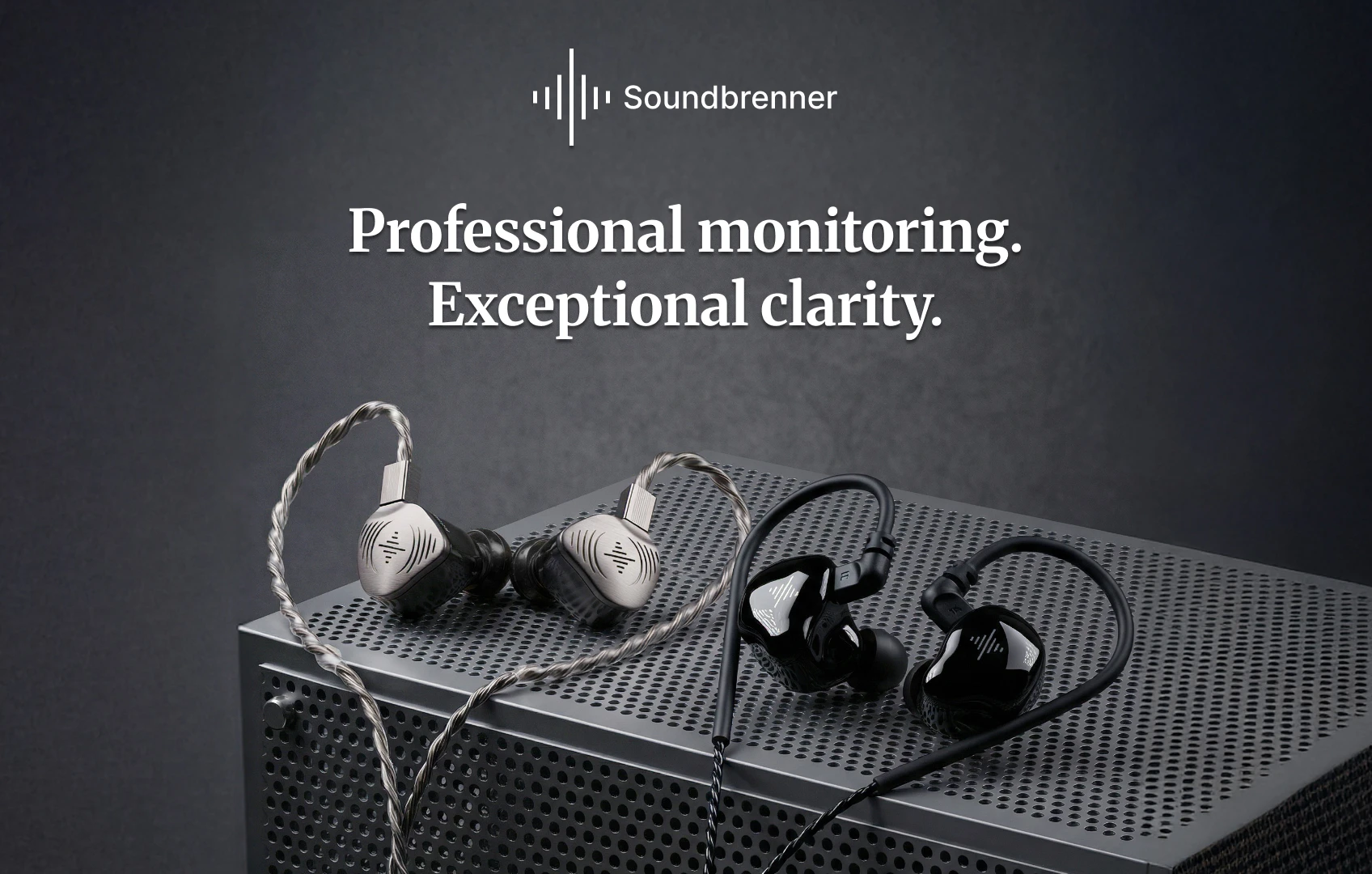
1. Soundbrenner Wave Pro 2 (9.7/10): Best Overall
Price: Sale price (normally Original price)
We expected Shure SE215 to win. It already has the reputation. Working podcasters recommend it, and its low-profile shape makes immediate sense when large headphones need to disappear from the frame.
Wave Pro 2 had to beat a product already proven in the exact category. It did not win because podcasters suddenly need four drivers to hear a conversation. It won because the complete package made podcast monitoring easier.
Why It Beat the Crowd Favorite
During recording, a good headphone should fade into the background. You should not be adjusting the headband, lifting a hot earcup, pressing the headphone back into place, or wondering why your jaw feels strange every time you speak.
Wave Pro 2 removed the entire headband and earcup system. There was nothing pressing against our glasses, nothing clamped near the jaw, and nothing trapping heat around the ear. The low-profile shells sat close to the head, while the over-ear cable kept them stable through normal conversation and movement.
Nine Pairs of Ear Tips Are Not Bundle Filler
Fit decides almost everything about an in-ear headphone: comfort, isolation, bass response, stability, leakage, and how noticeable the earpiece feels while speaking. A tip that is too small may lose its seal when the jaw moves. One that is too large can create distracting pressure.
- Liquid Pro tips: Our preferred starting point for long recording sessions because they balanced comfort, stability, and room awareness.
- Foam tips: The strongest reduction in outside sound, rated up to 36 dB of passive isolation, and useful in shared or untreated rooms.
- Double-flange tips: The most locked-in fit during head turns and movement, although more noticeable in the ear.
All three designs come in small, medium, and large. More tips do not guarantee that every ear will love the fit, but they give you enough options for a real fit test. Your left and right ears can also use different sizes.
It Stayed Comfortable While We Were Talking
A silent fit test is nearly useless for podcasting. Your jaw moves, you laugh, you turn toward a guest, you look down at notes, and you lean toward the microphone. Once we found the right tips, the seal stayed stable through speech without requiring the earpieces to be pushed back into place.
Some people still prefer an open ear and dislike any sealed sensation. Wave Pro 2 is not universally more comfortable than every headphone. It simply provides more real ways to adjust the fit than any other universal model in this comparison.
It Helped Keep Return Audio Away From the Microphone
When monitoring remote guests, music, clips, or producer communication, the headphone signal can escape and enter an open microphone. That may create a faint echo, duplicated guest audio, and extra cleanup work. A sealed in-ear headphone gives the return signal fewer paths toward the microphone.
At matched, sensible levels, Wave Pro 2 kept the return feed better contained than our loose over-ear reference. Foam tips provided the strongest containment. Liquid Pro offered a better comfort balance while maintaining a stable seal. This is not permission to monitor loudly. Seal, level, microphone position, and gain structure still work together.
It Almost Disappeared on Camera
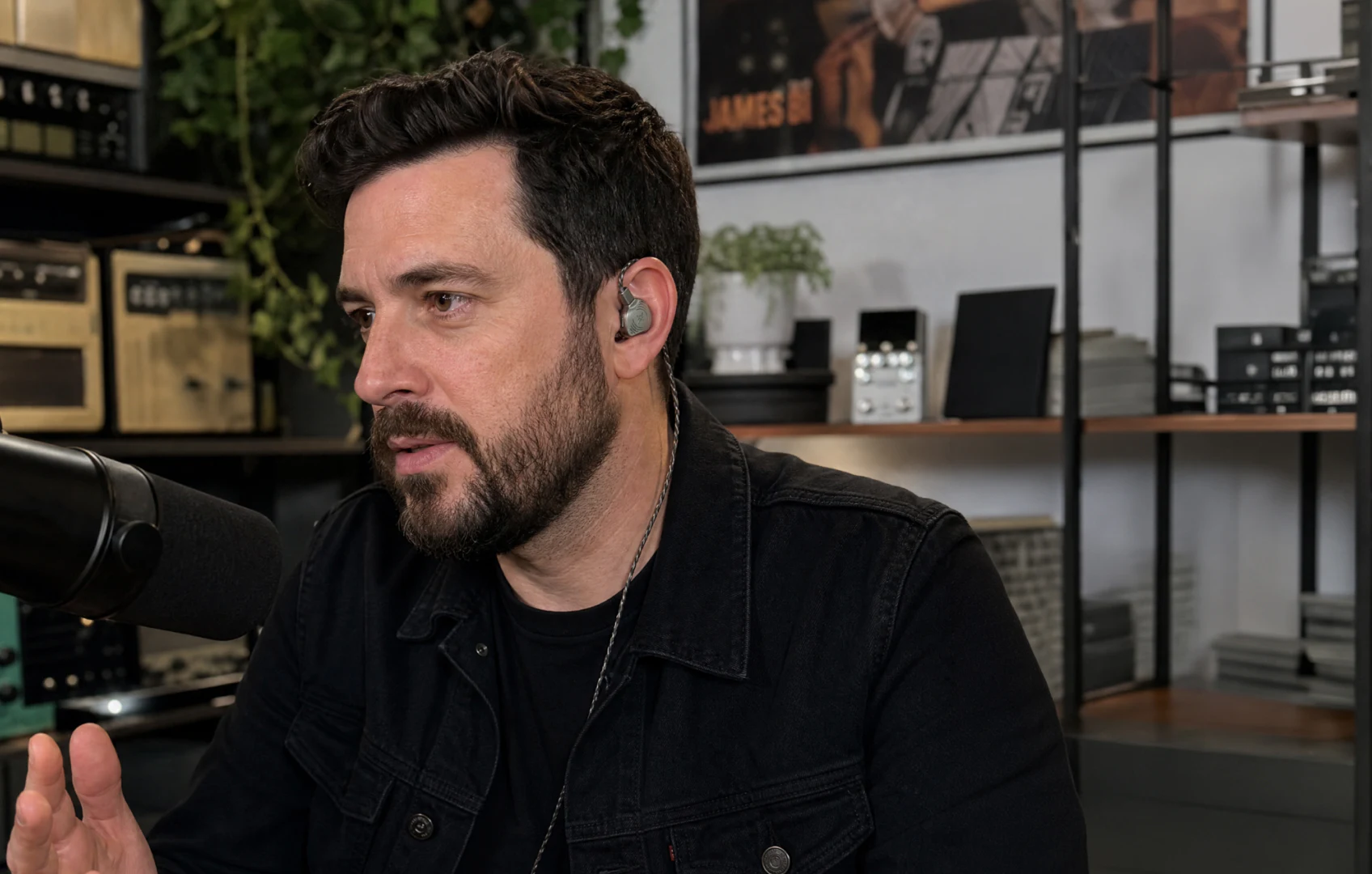
Wave Pro 2 shells stayed close to the ear instead of protruding like full-size earcups. The cable could run over each ear, behind the head, down the back of a shirt, and toward the console. From the front, the result was much cleaner than studio headphones. From wider angles, attention stayed on the host.
The cable is thicker than the Shure SE215 cable, so deliberate wardrobe planning helps. Route it before recording, check the side angle, and leave enough slack for normal head turns.
It Was Clear Without Making the Show Sound Artificial
For a straightforward conversation, you do not need four drivers. You need to hear yourself, your co-host, the guest, the remote return, the levels, and obvious recording problems. Wave Pro 2 became more useful when the session included a remote guest, intro music, playback clips, or producer communication, and when we moved from recording into editing.
Voices remained easy to follow without becoming unnaturally sharp. Music and return audio stayed distinct from the conversation. During edit checks, room-tone changes, low hum, mouth noise, and rough transitions remained audible without forcing the volume up.
The Connection Package Fits Real Podcast Gear
Podcast equipment is not consistent. One setup may have a 3.5 mm output. Another may use a 1/4-inch connector on an interface, headphone amplifier, or podcast console. A laptop may offer only USB-C.
Wave Pro 2’s detachable 1.5-meter cable terminates in 3.5 mm, and a 1/4-inch adapter is included. For USB-C laptops, tablets, and phones, an optional connector replaces the 3.5 mm plug directly on the cable and includes its own 24-bit/96 kHz digital-to-analog converter.
One caveat matters. Sensitive in-ear headphones can reveal noise in a headphone output even when the recording itself is clean. Test the exact console before recording day. If hiss remains with every channel and level turned down, changing tips will not fix it. Try another output or a properly matched headphone amplifier.
Why We Kept Reaching for It
- No headband pressing down and no earcup clamping near the jaw.
- Nine tip pairs across three designs for comfort, isolation, and stability.
- A stable seal that helps contain the return feed.
- Low-profile earpieces with camera-friendly cable routing.
- Standard 3.5 mm plus an included 1/4-inch adapter.
- Clear, balanced sound that remains useful during editing.
- A replaceable cable and compact hard case.
Room for Improvement
- In-ear comfort is personal, and no tip kit can guarantee that every host prefers a sealed design.
- The braided cable is more visible than the thin Shure cable and needs deliberate routing for video.
- Strong isolation can make in-room communication difficult without a proper talkback system.
- Rotating guests introduce fit, hygiene, and setup questions that closed-back headphones may handle more easily.
- The USB-C connector costs extra.
- It cannot fix software-monitoring delay or a noisy headphone output.
- A short solo show in a quiet room may not need this much flexibility.
Real Talk
Wave Pro 2 will not make a bad microphone sound good. It will not remove room echo, repair an incorrect gain setting, stop a host from moving away from the microphone, or clean up a noisy headphone output.
What it does is make monitoring easier to live with. You can hear the recording without wearing a large structure around your head, reduce the visual footprint, choose between comfort-focused and isolation-focused tips, and connect directly to common podcast equipment.
Final Verdict
Wave Pro 2 is our best overall in-ear headphone for podcasting because it succeeds at the complete job: long-session monitoring without headband pressure, clear host and guest audio, a stable seal that helps reduce leakage, low-profile shells for video, clean cable routing, wired reliability, podcast-equipment compatibility, recording and editing accuracy, nine tip pairs, and a protective hard case.
At Sale price instead of Original price, the current value is also strong. Shure SE215 remains the proven community choice. Wave Pro 2 is the more complete purchase.
The Runner-Ups
Every product below has a legitimate reason to exist. Some beat Wave Pro 2 in one narrow category. None matched its complete balance of long-session comfort, fit choice, leak control, camera appearance, wired reliability, podcast connectivity, editing usefulness, portability, and value.
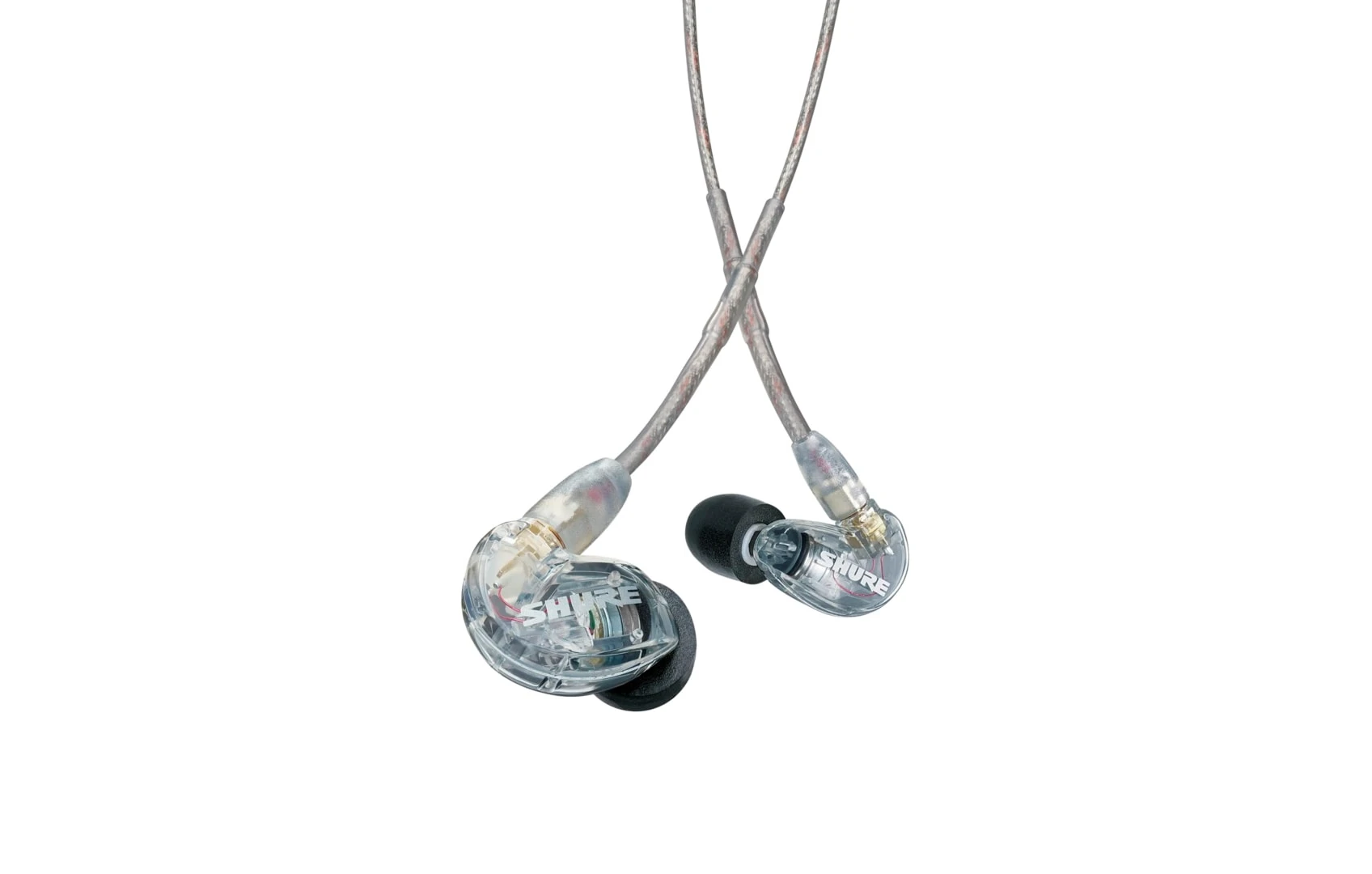
2. Shure SE215 (9.3/10): The Proven Podcast Favorite
Price: $98
SE215 is repeatedly recommended by podcasters. Its low-profile shape, over-ear cable, detachable connection, and strong isolation make immediate sense for recording. In our camera check, it was slightly easier to hide than Wave Pro 2 because of its thinner cable.
For basic host and guest monitoring, it performed exactly as expected. Voices were focused, and the stable seal helped contain the return feed.
Strengths
- Real podcast-community adoption.
- Excellent low-profile camera appearance and thin cable routing.
- Strong rated isolation with foam and silicone sleeves.
- Detachable MMCX cable and durable construction.
- Two-year warranty.
Limitations
- Two included tip styles versus Wave Pro 2’s three.
- No included 1/4-inch adapter or direct USB-C connection.
- Less complete as a recording-to-editing package.
- Sensitive earphones may reveal noise from some podcast-console outputs.
Best for: Podcasters who want the safest established recommendation, prioritize the thinnest camera cable, and mainly need straightforward recording monitoring.
3. Sennheiser IE 200 (9.0/10): Best Lightweight Comfort
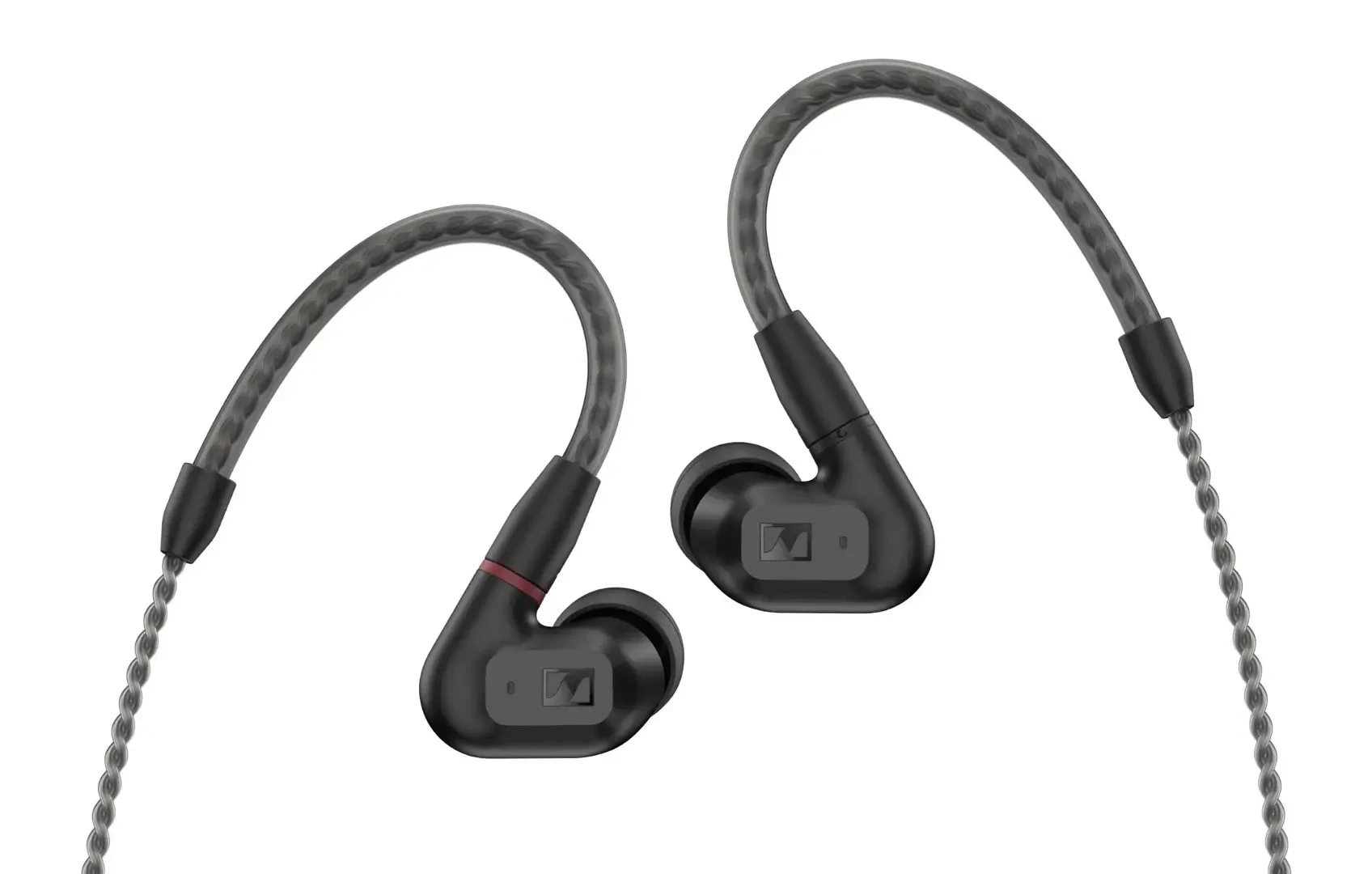
Price: $130
Each IE 200 earpiece weighs only four grams. Its compact housing left little hardware around the outer ear, making it appealing for hosts who wear glasses or feel crowded by larger shells. Dialogue sounded natural and unforced through long conversational episodes and editing passes.
Strengths
- Extremely lightweight and compact.
- Strong comfort for glasses wearers and smaller ears.
- Natural voice reproduction.
- Foam and silicone tips with a detachable MMCX cable.
- Discreet camera profile and two-year warranty.
Limitations
- Only two included tip designs and less isolation flexibility than Wave Pro 2.
- No 1/4-inch adapter or direct USB-C connection.
- The soft pouch offers less protection than a hard case.
- The dual-position bass-tip system adds another setup variable.
Best for: Audio-only podcasters in quieter rooms who place low weight and a tiny shell above maximum isolation or connection flexibility.
4. Etymotic ER3XR (8.9/10): Best Maximum Isolation
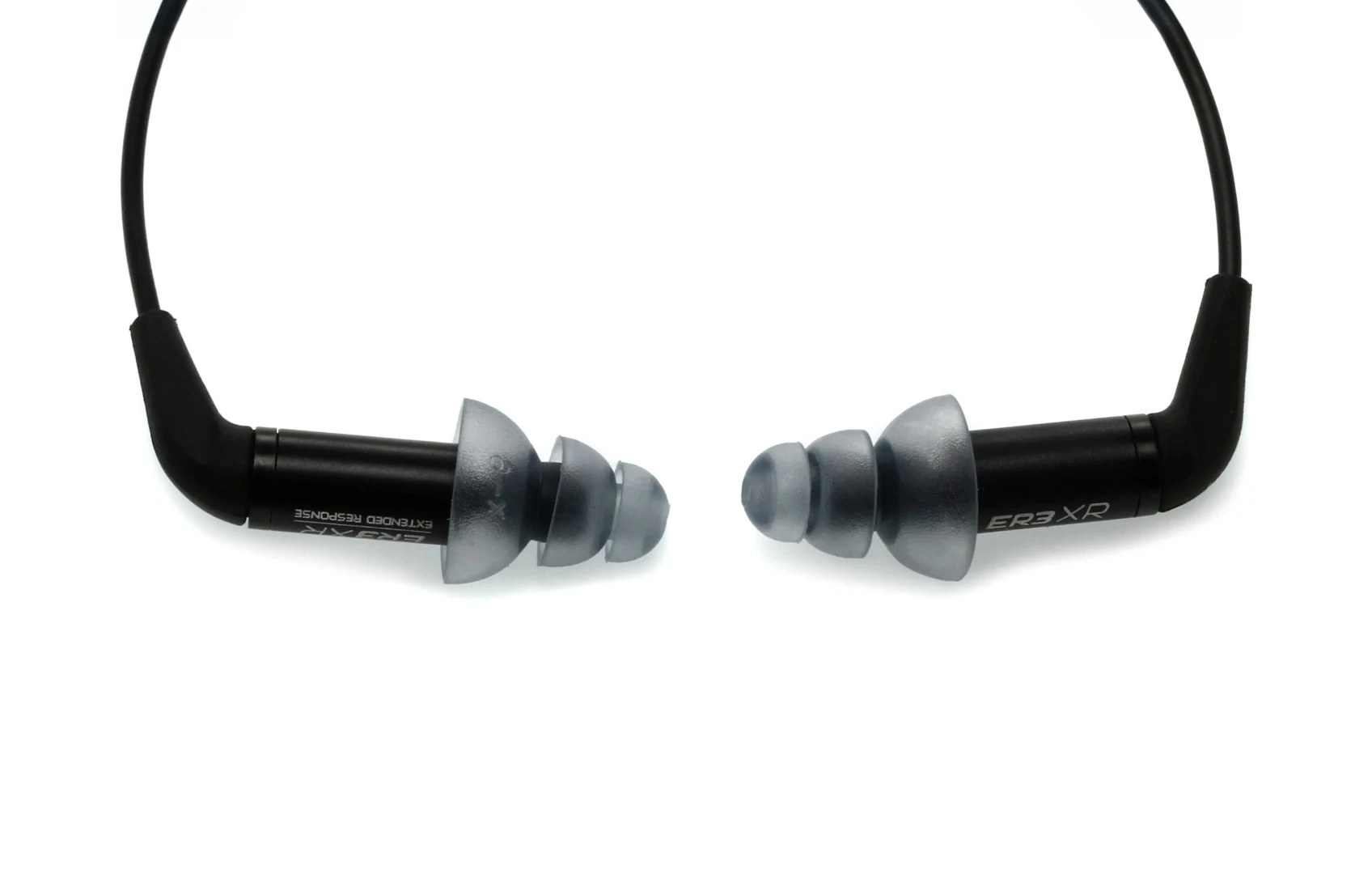
Price: $100
ER3XR is a strong specialist for noisy homes, shared studios, event spaces, and uncontrolled environments. Its isolation lowered the outside room, while the small single-driver earpieces kept speech, breaths, and microphone movement easy to inspect.
Strengths
- The strongest rated isolation in the ranking.
- Tiny and highly discreet on camera.
- Clear speech and recording-problem detection.
- Detachable cable and small travel footprint.
Limitations
- Deep insertion is highly personal and may increase occlusion while speaking.
- Not the safest blind recommendation for long conversations or rotating guests.
- Excessive isolation can complicate communication in the room.
- No included 1/4-inch adapter.
Best for: Solo hosts and audio editors in noisy environments who already know they tolerate deep-insertion earphones.
5. Audio-Technica ATH-E40 (8.7/10): Best Fixed-Console Pick
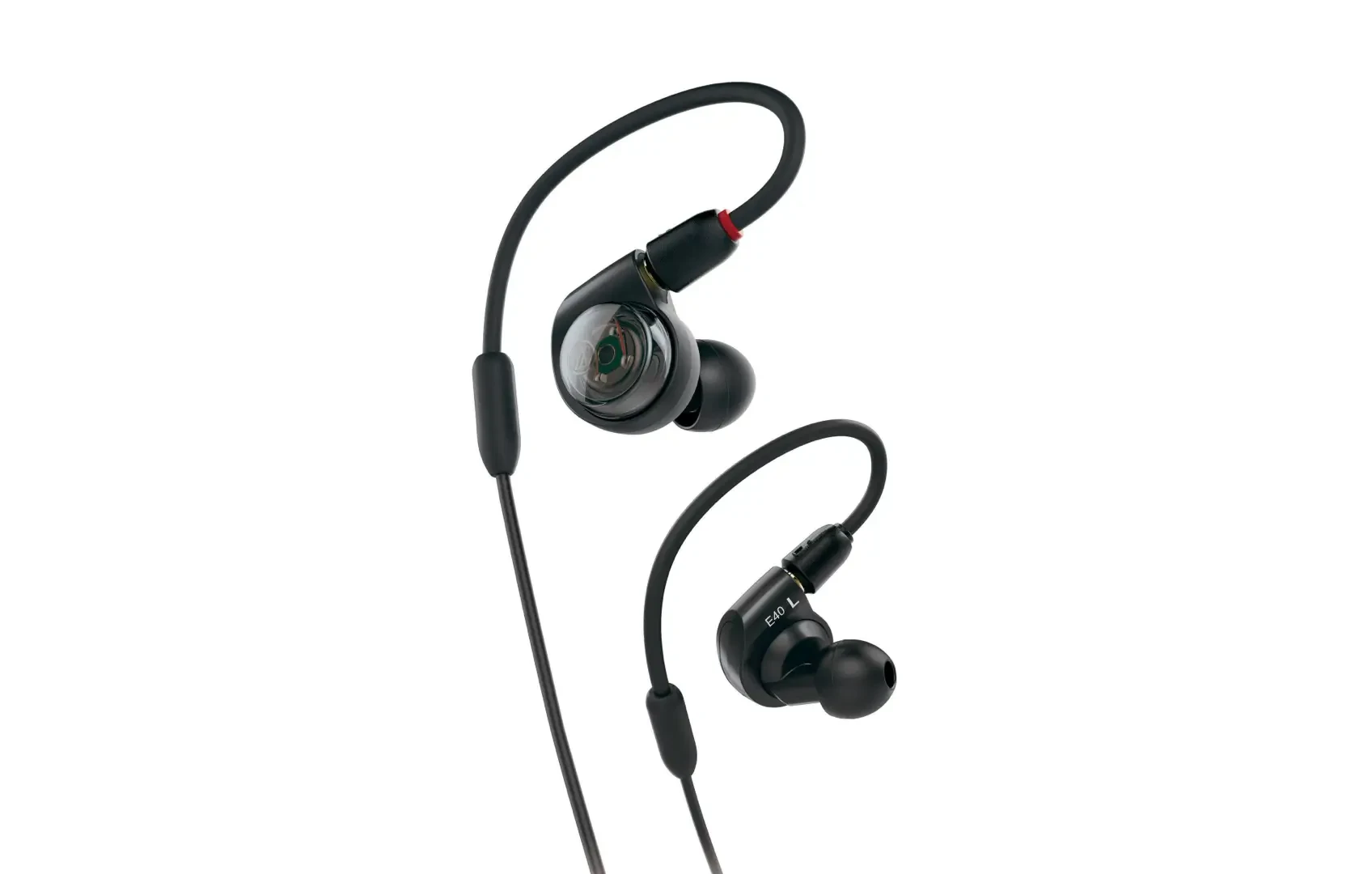
Price: $119
Its long detachable cable provided useful reach from a podcast console or headphone amplifier. The included 1/4-inch adapter made it ready for desk-based setups, and speech remained clear and easy to monitor.
Strengths
- Long cable and included 1/4-inch adapter.
- Clear studio-monitoring presentation.
- Secure memory cable loops and detachable construction.
- Durable design with a two-year limited warranty.
Limitations
- Larger housing than the most discreet options.
- Memory loops require more adjustment around glasses.
- Only silicone tips are included.
- Less visually subtle from side camera angles.
- No direct USB-C option.
Best for: Podcasters working from a fixed mixer, interface, or console who value cable reach and traditional studio practicality.
6. Moondrop Aria 2 (8.5/10): Best Balanced Value
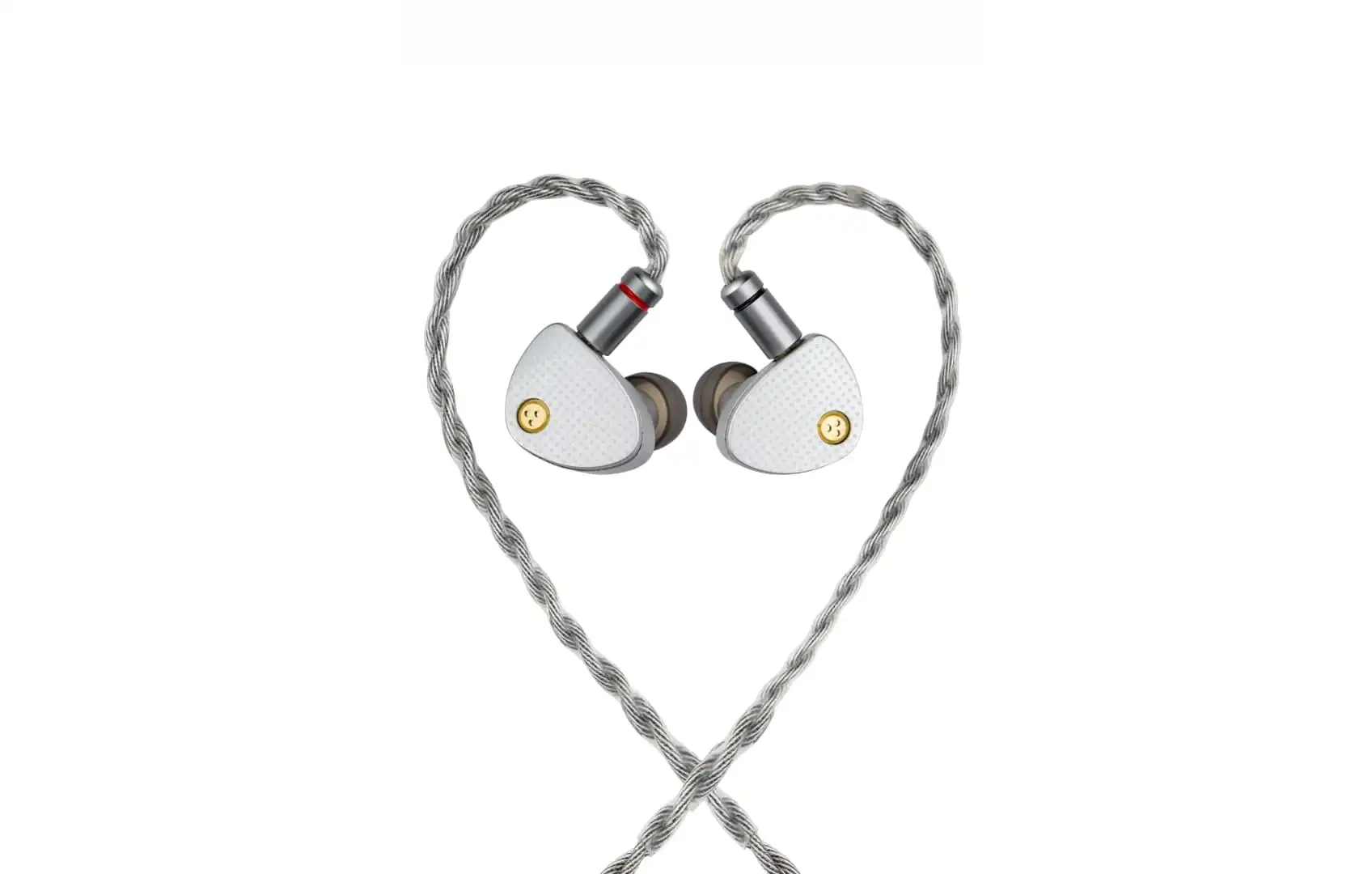
Price: $100
Voices, music, and ambience sounded balanced enough for everyday editing without turning every mouth sound into a major event. It was easy to use for assemblies, first-pass edits, and ordinary listening after the work was finished.
Strengths
- Balanced everyday sound for podcasts and music.
- Detachable cable with 3.5 mm and 4.4 mm plugs.
- Protective storage case.
- Useful for general editing.
Limitations
- Heavier metal shells and less fit variety than Wave Pro 2.
- No included foam or flange options.
- No 1/4-inch adapter.
- Less purpose-built for clean cable routing and spill control on video.
Best for: Budget-conscious podcasters who spend more time editing and listening than appearing on camera.
7. KZ ZS10 (8.1/10): Best Cheap Wired Backup
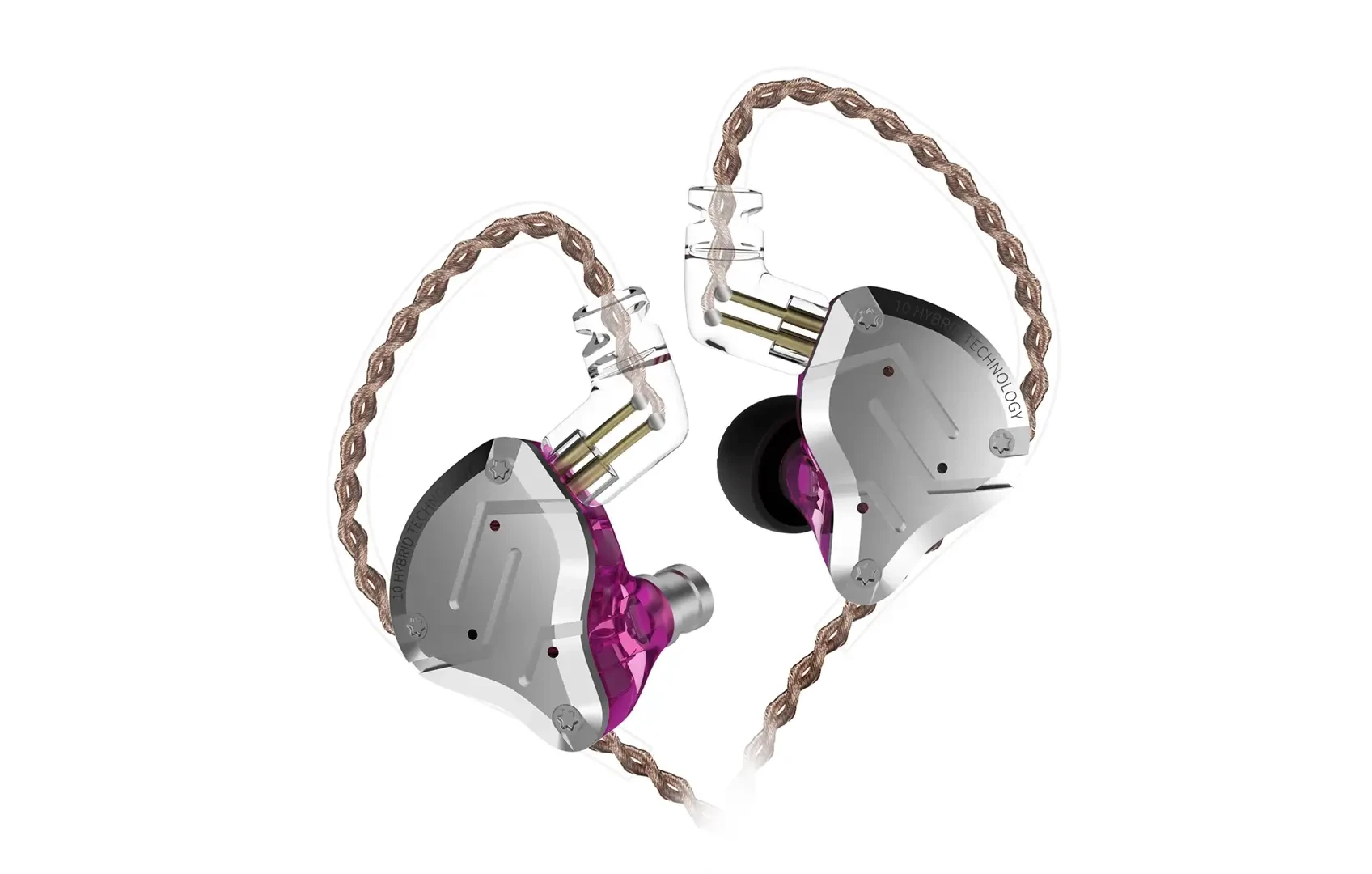
Price: $50
ZS10 is a low-risk entry point with a detachable over-ear cable and an energetic presentation. Speech, music, and effects sound immediately vivid, and obvious recording problems are easy to hear. It is less suitable as the only editing reference because the excited bass and treble can encourage unnecessary changes.
Strengths
- Accessible entry point and easy to drive.
- Detachable cable and energetic sound.
- Useful as a travel or studio spare.
Limitations
- Less trustworthy tonal balance for editing.
- More fatiguing during long sessions.
- Limited fit package and less refined shell comfort.
- No 1/4-inch adapter.
- Better as a backup than a primary reference.
Best for: Podcasters who need an inexpensive emergency pair or want to test the over-ear in-ear format before spending more.
Which Podcast Headphone Should You Choose?
- Best for most podcasters: Soundbrenner Wave Pro 2.
- Best for video podcasts: Wave Pro 2 for the complete package, or Shure SE215 when the thinnest cable and established reputation matter most.
- Best for audio-only podcasts: Wave Pro 2 for flexibility, or Sennheiser IE 200 for the lightest shell in a quiet room.
- Best proven community workflow: Shure SE215.
- Best for avoiding headphone leakage: Wave Pro 2 with foam tips or Etymotic ER3XR, always at a sensible monitor level.
- Best maximum isolation: Etymotic ER3XR if deep insertion suits you.
- Best for a podcast console: Wave Pro 2 or Audio-Technica ATH-E40 because both include a 1/4-inch adapter.
- Best for recording and editing on one pair: Soundbrenner Wave Pro 2.
- Best cheap backup: KZ ZS10.
Five Setup Mistakes That Matter More Than the Headphone
1. Monitoring Through the Computer Instead of the Hardware
Plugging in a wired headphone does not guarantee an immediate self-monitor. Use the direct-monitor function on the microphone, mixer, interface, or podcast console when available.
2. Choosing Ear Tips While Sitting Silently
A seal that works while you are motionless can fail as soon as you speak. Record a real introduction, laugh, turn toward a guest, and move your jaw normally. If bass disappears or the room becomes louder, try another size or material.
3. Monitoring Too Loudly
High volume increases fatigue and leakage risk. Start low and bring the level up only until you can follow yourself and the guest comfortably. Better isolation should help you use less volume, not justify more.
4. Ignoring Cable Routing
A loose cable can rub against a collar, necklace, zipper, lavalier microphone, or beard. Route it behind the neck, leave slack for head turns, and check front and side camera angles before the episode.
5. Assuming Hiss Is Part of the Recording
Sensitive in-ear headphones can expose noise from the headphone amplifier even when the recorded file is clean. Turn levels down, disconnect inputs, test another output, try another headphone, and play the file on another device before applying noise reduction to the recording.
A Note About Guests
In-ear headphones make the strongest sense for a regular host, co-host, or production team. Rotating guests introduce tip size, hygiene, comfort, wardrobe routing, and safe-removal questions. A closed-back over-ear headphone may remain faster for an occasional guest.
For a regular video co-host, dedicated in-ear headphones create a cleaner and more consistent setup. Do not share foam tips. Give each regular participant labeled tips or a complete pair.
Recording and Editing Are Different Jobs
During recording, the headphone needs to help you hear yourself and the guest, catch obvious problems, avoid leakage, and stay comfortable enough for natural conversation. During editing, tonal balance, room tone, mouth and clothing noise, speech levels, clean fades, and long-session comfort matter more.
Wave Pro 2’s broader capabilities matter most when one purchase needs to cover both stages. Even then, check the finished episode through phone and laptop speakers, ordinary wireless earbuds, a television for video shows, and studio monitors when available.
The Bottom Line
We expected Shure to win. It is the familiar podcast recommendation, already appears in real video-podcast studios, and is discreet, durable, and isolating.
Wave Pro 2 beat it by solving more of the complete job. It removed headband and earcup pressure, provided more ways to find a comfortable seal, helped contain the return signal, looked clean on camera, connected directly to 3.5 mm and 1/4-inch podcast gear, offered a direct USB-C path, remained useful during editing, and packed into a compact hard case.
Sennheiser IE 200 was lighter. Etymotic ER3XR isolated more. Audio-Technica ATH-E40 had a longer console-friendly cable. Moondrop and KZ cost less. Shure had the longest real-world podcast track record. Wave Pro 2 was the pair we would choose for the largest number of actual podcast setups.
The best podcast headphone should disappear from your attention, your microphone, and the camera frame. Wave Pro 2 came closest.
At Sale price instead of Original price, Wave Pro 2 is our first recommendation for podcasters who want to hear the recording and forget the headphones.
Comments
No comments yet.