

 Written by Cass Monroe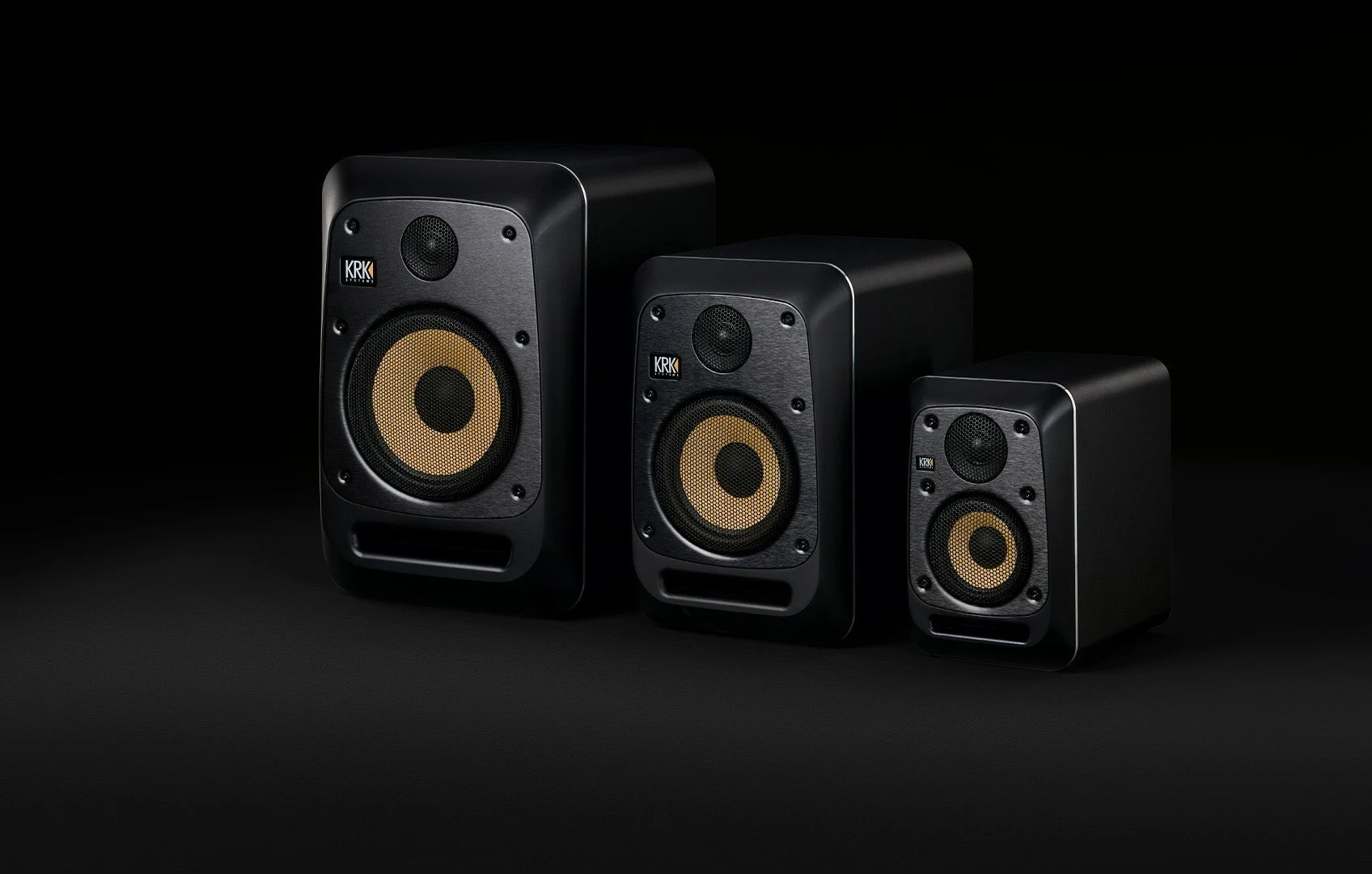
The back-panel shuffle
Every studio monitor with rear-facing controls demands a small, faintly ridiculous performance. You rise from the mix position, lean across the desk, find a switch or encoder by touch, make a change, and fold yourself back into the chair. The chair rolls an inch. Your head returns at a slightly different height. The sonic snapshot you meant to compare has already begun to blur.
As reported by MusicTech, KRK’s new V Series Five monitors can be adjusted wirelessly through the KRK Control App. The practical promise is simple: the operator can alter settings without leaving the listening position. That feature tells us nothing yet about tonal accuracy, noise, output, or translation. It does recognize a neglected piece of studio ergonomics. The correct place to judge a monitor adjustment is the place where the work is heard.
Rear-panel friction can make a questionable setting permanent through inertia. A remote control removes the crouch, the reach, and the flashlight balanced against a cabinet. In a tight room, those seconds matter because they determine whether calibration becomes a deliberate routine or a task postponed until some mythical quiet afternoon.
The chair is part of the measurement
In a control room, the chair is a repeatable coordinate. Frequency balance changes as the listener moves through the room, with low-frequency peaks and cancellations often varying sharply by position. Reflections from a desk, wall, and screen also reach each seat differently. An adjustment judged from behind a speaker is being heard at the wrong coordinate.
Wireless control pulls the action and the result closer together. Make one change, keep the head still, and listen to the same kick decay or vocal edge. The comparison is shorter and less contaminated by footsteps, chair movement, and the little blast of room sound that arrives when you stand up.
Easy access introduces its own hazard. Speaker controls can become an escape hatch for a difficult mix. If every brittle vocal leads to a monitor adjustment, the reference shifts underneath the song. The app is most useful during setup, room changes, or a scheduled calibration check. Once a dependable baseline is established, leave it alone long enough to learn what the room is saying.
A disciplined calibration pass
Remote adjustment earns its place when it supports a repeatable method. A sensible first pass looks like this:
1. Fix the geometry first. Place the pair as symmetrically as the room allows. Match height, distance, and toe-in. Move any desk object that blocks a driver, then check stands and hardware for wobble or rattle. Software cannot straighten a crooked physical setup.
2. Record a baseline. Start from the maker’s documented setup guidance and note every physical control position before changing anything in the app. A quick photo and a dated line in the room log are enough. You need a path back if an experiment goes sideways.
3. Use evidence. Play a few familiar, well-made references at a consistent level. Add a measurement microphone and trusted room-analysis software if they are available. A graph can expose a broad imbalance that one half-finished loop conceals.
4. Change one variable. Work only with the parameters the app actually provides, and alter one at a time. Keep playback level steady. A small increase in loudness can masquerade as a tonal improvement. Write down the reason for each move and the result you heard.
5. Verify away from the screen. Put the device down, listen to several tracks, and check at both ordinary and quiet working levels. Avoid assigning every narrow dip to EQ. A cancellation created by room geometry usually calls for placement or acoustic treatment rather than a large corrective boost.
The useful artifact is a boring one: a dated calibration note with the final state, the listening position, and any physical changes to the room. Tape it beneath the console if the studio has multiple users.
The software inside the object
App control changes the ownership questions around a monitor. The speaker may remain on its stand through several generations of phones and operating systems. A useful control system needs a calm failure mode when an old device disappears or an update changes compatibility.
Before counting wireless adjustment as a lasting benefit, verify these details in KRK’s current documentation:
- Supported devices and operating-system versions, including whether control requires an internet connection.
- Speaker discovery, pair management, and clear identification of the left and right channels.
- Setting persistence after the app disconnects or the monitors are power-cycled.
- Essential adjustments that remain available directly on the hardware.
- Firmware requirements, update procedure, and accessible support documentation.
Those details are less glamorous than driver materials or amplifier figures, yet they define the daily feel of the object. A polished cabinet with stranded software becomes an awkward piece of furniture.
Wireless control and wireless audio also describe separate signal paths. The reported V Series Five feature concerns remote adjustment through the Control App. Anyone planning a cable-light room should check the official connection specifications rather than infer an audio feature from the word “wireless.”
The best implementation will let the app disappear after setup. The monitors should wake in a known state, hold their settings, and remain usable when the controller is absent. That kind of graceful persistence belongs beside knob friction and connector placement in an industrial-design assessment.
Who gains the most
The immediate beneficiaries are rooms where the back panels are physically hostile: monitors tucked near a wall, stands behind a broad desk, or compact setups with cables packed into every spare inch. A producer working alone can make a measured change without losing the exact posture used for the original judgment.
There is an accessibility benefit too. Remote control can reduce repeated standing, leaning, and reaching for anyone who finds those movements difficult. The value depends on how completely the app exposes the relevant controls, which is another point to confirm rather than assume.
Shared rooms gain speed and acquire a new housekeeping problem. One person’s correction can become the next person’s unexplained baseline. Record every change in a visible room log, even if the software offers its own memory functions. Classrooms, edit suites, and rotating project studios need a rule about who may alter the speakers and when the reference is reset.
The mundane promise is appealing: no chair scraping across the floor and no fingertips hunting behind a warm cabinet. Whether the app can address a pair clearly and consistently belongs on the setup checklist.
What to judge next
On the launch evidence available, the V Series Five’s wireless control is a sensible ergonomic idea. A monitor decision still rests on sound, room fit, connection needs, noise behavior, serviceability, and reliable operation. The app cannot answer those questions, and this announcement alone cannot support a listening verdict.
What it can do is sharpen the evaluation. Prospective users should look for independent measurements and listening reports, then inspect the control workflow with equal care. Connection stability, setting persistence, clear left-right identification, and useful hardware fallbacks will decide whether the feature remains helpful after the first week.
KRK has moved an awkward interaction toward the place where the decision is made. If the implementation behaves as promised, its finest moment will be almost invisible: the chair stays planted, one measured adjustment is made, the screen goes dark, and attention returns to the last inch of a snare tail.
Comments
No comments yet.