

 Written by Nico Delray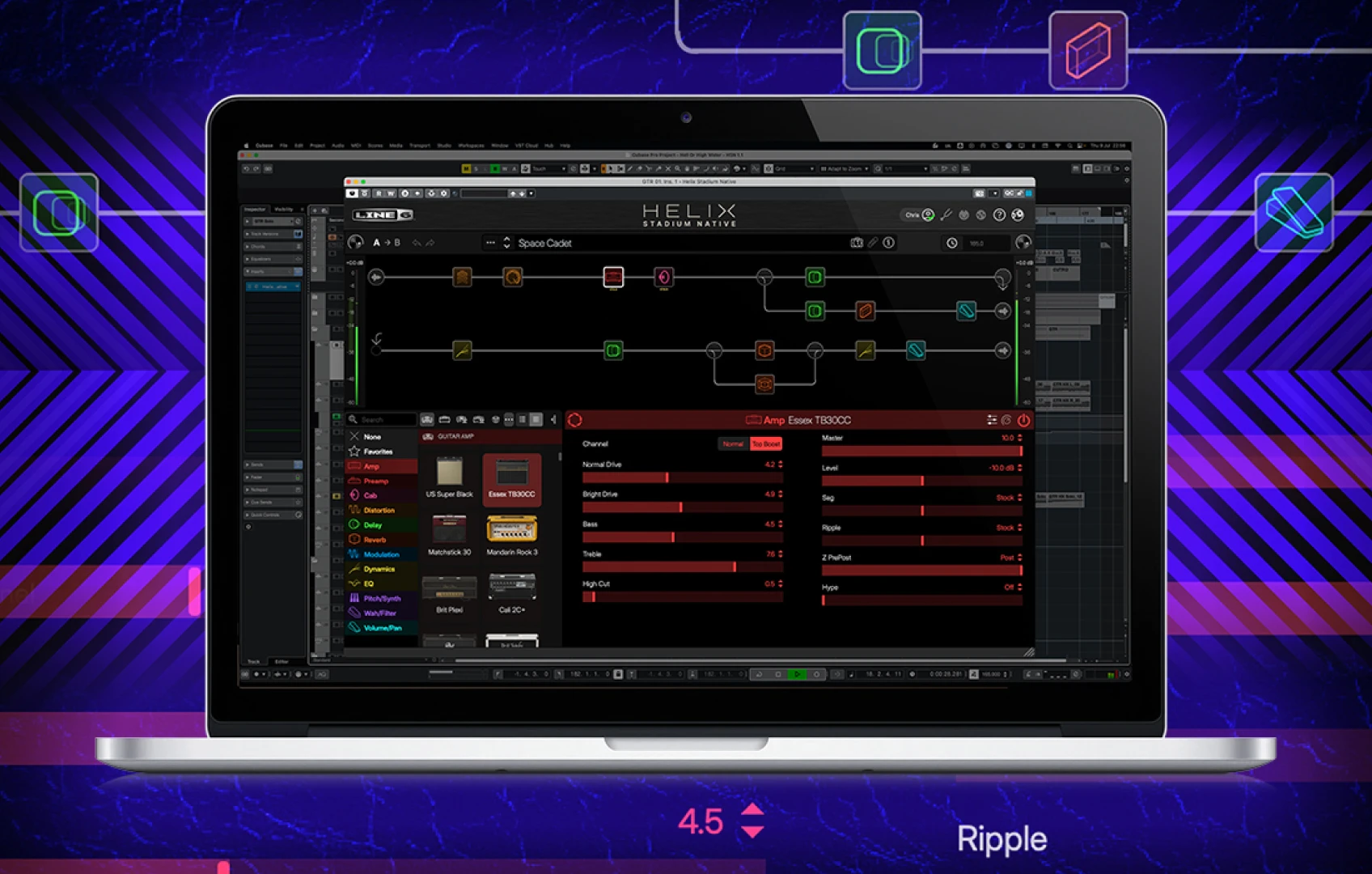
The rig enters the session
A guitar tone can die by a thousand small translations. The stage patch gets photographed, the clean DI lands in a folder called FINAL, and three weeks later somebody is rebuilding the sound from memory while the guitarist waits on a call. MusicRadar reported on August 5 that Line 6 has announced Helix Stadium Native, a plugin that extends its Helix Stadium tone system into the DAW. The report says it carries the company’s flagship amp-modeling approach into software and comes in a free version as well.
That puts the release on a useful patch of floor. There are already enough modeled amps to keep a player scrolling until the drummer goes home. Continuity remains harder: capturing a responsive take, preserving a usable DI, recalling the exact treatment, and handing the session to someone else without sending a paragraph of setup instructions. This announcement gives us a workflow to examine. Tone, latency, and stability still require hands-on testing.
Translation is the feature to watch
An ecosystem earns its name when the same musical decision survives a change of room. A patch built beside the pedalboard should retain its structure when the song moves to a laptop. A session tone should also provide a useful starting point when rehearsal begins. That sort of continuity can keep gain staging, effect order, and controller choices from becoming separate projects.
The family name alone does not guarantee perfect exchange. Players should look for precise answers in Line 6’s documentation: whether hardware presets load directly, which amp and effect blocks match, how controller assignments travel, and what the software does with an unsupported item. Parameter scaling matters too. A drive control at 4.2 is only helpful when 4.2 means the same thing at both ends.
This is where the new plugin could save real time. The useful result would be opening Tuesday’s session on Friday and finding the pick response, delay balance, and output level where you left them.
Feel starts before the model
Software can model the amp section while your interface still decides what reaches it. Passive pickups meet the interface’s input impedance before the signal sees a plugin. Input gain controls headroom. A clipped DI stays clipped, and a weakly recorded part may encourage too much downstream gain. No amp model can reach backward through the cable and repair the front end.
Before judging any preset, set the interface for an instrument-level input, leave honest headroom, and listen at matched output levels. Louder patches often feel more exciting for the first ten seconds. Level matching makes the comparison about attack, compression, and harmonic texture instead.
Buffer settings belong in the feel test. A patch can sound excellent during playback and still feel detached under the fingers if the monitoring path is sluggish. Use the lowest stable setting your session can manage while tracking, then relax it when mixing. Also watch gates. An aggressive threshold can shave off the front of a note and make a responsive model feel strangely stiff.
The free edition could fix the handoff
A free edition changes the social part of a session. Guitarists, producers, and mix engineers often own different plugin collections. That mismatch turns a tiny revision into a printed stem, a screenshot, or a late-night request for one more export. A no-cost entry point can give collaborators a shared way to hear the intended chain.
Its limits will decide how useful it is. Check whether the free edition can open sounds created in the full version, which blocks remain active, and whether it can save changes. Also check what happens when a collaborator lacks a required component. A clear warning is manageable. A silently altered patch can slip into a bounce.
For remote work, make a small handoff package anyway: clean DI, processed reference, named preset, and a note with plugin and firmware versions. Four tidy files beat a message that says “use the crunchy one.”
Give the workflow a three-pass audition
The fastest way to assess Helix Stadium Native is to choose one representative patch and force it through the work you actually do. Avoid the showroom preset with eight effects if your normal job is a pushed combo, a short delay, and a volume lift.
1. Track it. Record a clean DI and the processed sound together. Play soft chords, hard single notes, and the pickup changes you really use. Listen for noise, gate behavior, and whether the attack encourages you to dig in or back off. Keep CPU meters visible once the session has more than a guitar track in it.
2. Recall it. Close the project, restart the machine, and reopen it. Confirm the correct patch returns, automation still points at the intended controls, and the output level has not jumped. Repeat this check after any plugin update before trusting it on a deadline.
3. Hand it off. Send a copy of the project and its support files to the collaborator or second machine you normally use. Ask for a processed bounce and compare it with your reference. If hardware transfer is part of your plan, repeat the comparison through the real monitoring chain at rehearsal volume.
The test is deliberately boring. It catches missing assets, version mismatches, and level surprises before those problems are wedged between soundcheck and doors.
Keep an exit route in every session
Even a strong ecosystem can become fragile when every song depends on one authorization, one version, or one computer. Print a processed reference when the part is approved. Keep the unprocessed DI. Store the preset with the project instead of only in a global library, if the software permits it. Put the exact plugin version in the session notes.
Automation deserves special care. Host projects may remember a numbered parameter even after a plugin changes its menu. Before a major update, finish urgent work or clone the system drive according to your normal backup practice. On archival projects, freeze or render the sound while retaining an editable copy. That gives the mixer something audible even if the original chain will not load years later.
For the stage, save a fallback patch on the hardware and keep its output matched to the working set. The cleverest cross-platform chain still needs to survive a laptop staying in the van.
Where the speed actually appears
“Speed of thought” is handsome launch language. Session speed usually looks duller: the patch opens, the level is sane, the DI is intact, and nobody has to reverse-engineer a screenshot. Helix Stadium Native is pointed at that practical target.
Its lasting value will depend on dependable preset translation, sensible free-tier handoffs, stable recall, and feel that holds up while playing. If Line 6 gets those pieces right, the best demonstration will happen months after the announcement. A guitarist will open an old project, hit one chord, and start working before the rest of the band has finished plugging in.
Comments
No comments yet.