

 Written by Marvin Cavanaugh
The Desk Audio Problem Nobody Brags About
Most people do not choose Bluetooth earbuds for desk listening because they are perfect. They use them because they are already there.
You sit down to work, open the laptop, put the earbuds in, and hope they cooperate. Maybe they are at 12%. Maybe they connect to your phone instead of your computer. Maybe one side wakes up late. Maybe they work, but the music still sounds like the convenient version of itself.
That is fine for convenience. It is not always fine for serious listening. At a desk, you are not sprinting across a parking lot. You are sitting still, trying to hear detail, stay connected to one device, and enjoy an album without battery warnings, Bluetooth handoff drama, or little glitches pulling you out of the music.
"At a desk, wireless freedom matters less than sound quality that works every time."
That is the opening. If the cable is not getting in your way, why are you still paying the sound tax for avoiding one?
The Real Desk Listening Thesis
The mistake is treating desk audio like commute audio. Wireless earbuds are built around movement. Desk listening is built around stillness, repeatability, and sound you can trust for hours.
- If your earbuds are often dead, the problem is not discipline. It is a tiny battery system you have to keep managing.
- If Bluetooth keeps grabbing the wrong device, the problem is not you. It is a wireless stack trying to guess your intent.
- If music sounds flatter than it should, the problem may be the seal, the drivers, the codec path, or all three.
- If you mostly listen while sitting still, the cable is not the enemy. It may be the thing that removes the drama.
That is the argument to test first. Not which model to buy. Not whether you should become an audiophile. Just whether your desk setup should stop pretending it needs the same priorities as a subway platform.
Why Wireless Earbuds Feel Worse At A Desk
Wireless earbuds are brilliant when you are moving. The problem is that desk listening rewards a different set of values.
At a desk, tiny annoyances become daily habits. The case is almost dead. The left earbud connects late. Your phone steals the connection from your laptop. The audio glitches for half a second. Noise cancellation changes the texture of the room. A weak seal makes bass and vocals feel thinner, so you nudge the volume higher and call it focus.
None of that sounds dramatic until it happens hundreds of times a month. The bad version of desk audio is not obviously broken. It is just unreliable, slightly smeared, and less involving than it should be.
The four desk-listening failures
- Dead batteries: the case, buds, and battery health all become part of the listening chain.
- Connection drama: device switching, pairing weirdness, and small glitches become normal.
- Sound quality ceiling: small consumer earbuds often make busy tracks feel flatter than they should.
- Volume creep: a weak seal lets the room win, so you turn up instead of hearing more clearly.
- Feature clutter: firmware, codecs, ANC modes, and paired devices keep adding variables between you and the track.
This is where wired in-ear monitors stop feeling old-fashioned and start feeling obvious.
The Wired Upgrade That Actually Fits This Use Case
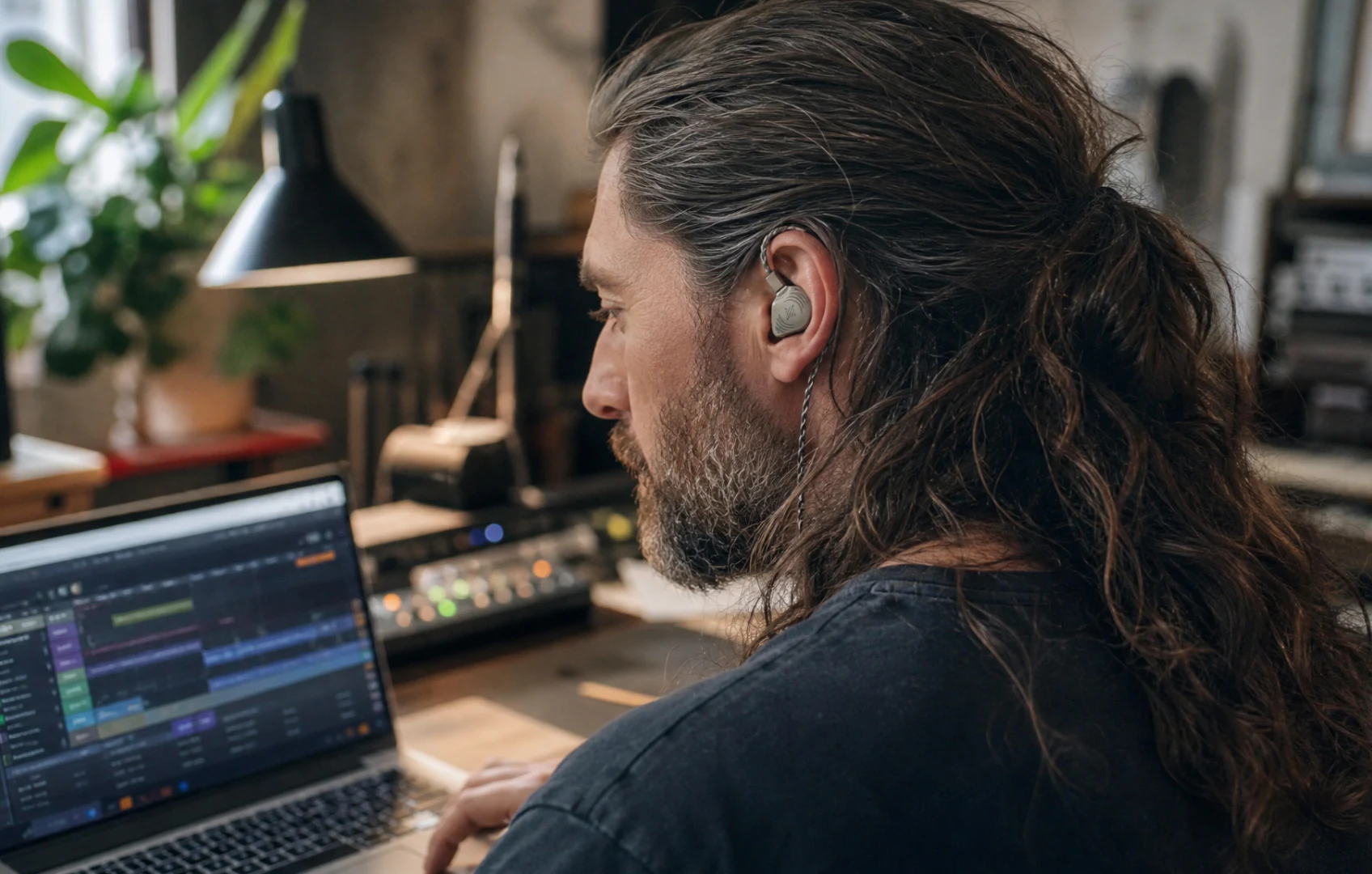
A good wired in-ear monitor is not just an old earbud with a cable attached. It is a different answer to the desk problem: fit first, isolation first, clarity first, reliability first.
- Wired connection: sound arrives directly, with no Bluetooth sync puzzle, device-switching drama, or codec guessing.
- Foam-tip isolation: the right seal physically blocks room noise instead of trying to cancel it with processing.
- Secure over-ear fit: the cable routes around the ear instead of tugging straight down.
- Detachable cable: a cable problem does not have to kill the whole product.
- Dedicated drivers: serious IEMs are built to keep dense mixes clearer than lifestyle earbuds usually can.
The practical effect is simple: voices sit forward, bass has shape, busy music separates better, and the setup stops asking for attention before it plays the song.
What Audiophiles Should Like
Audiophile desk setups can get theatrical fast. The better wired-IEM argument is quieter than that. It removes avoidable layers.
A wired signal means no codec anxiety. Foam-tip isolation means no active noise-canceling profile changing the feel of a track. A real tip kit means the seal can be tuned instead of accepted. And because these are in-ear monitors rather than big over-ear headphones, you can listen in a shared office, late at night, or next to a sleeping partner without turning your desk into a speaker demo.
The clarity is not magic
It comes from boring mechanics. A better seal lets you hear more at lower volume. Dedicated drivers can keep parts of a mix from collapsing together. A cable avoids the timing and battery compromises you only tolerated because you were moving around.
That is exactly why this works for desk listening. The boring mechanics matter more when the rest of the setup is already stable.
What Desk Workers Should Like
The desk version of luxury is not always more features. Sometimes it is fewer things that can interrupt you.
- No charging case on the desk: if your laptop, phone, interface, or player has power, the earphones work.
- No pairing roulette: plug into a compatible output and listen.
- No headband heat: in-ears are easier to wear through long work blocks than many full-size headphones.
- No room bleed: a good seal can keep keyboard noise, fans, and hallway chatter from dominating your mix.
- No giant headphone look on calls: take one side out when you need the room, then plug back into the work.
There is a real cable tradeoff, and it is worth naming. If you stand up constantly, take calls while pacing, or move between rooms all day, wireless is easier. But if you mostly sit, write, edit, design, mix, analyze, or listen while working, the cable is often less annoying than the compromises it removes.
The Objections Are Fair
"My phone has no headphone jack."
This used to be the best reason to avoid wired. It is not anymore. High-quality USB-C audio connectors with built-in DACs are affordable now, and the better ones feel like part of the system rather than an apology for the missing jack.
That matters especially here because a modern wired setup should not feel like a dongle punishment. The best version of this category needs a clean USB-C path, not a fragile adapter hanging from the end of the cable.
"I need noise cancellation."
You need quiet. Those are not the same thing. Foam-tip IEMs work on the same principle as earplugs: they physically seal the ear canal. Good foam tips can block up to 36 dB of outside noise, which is why drummers use this kind of setup to protect their hearing on stage.
At a desk, that can be more useful than ANC because it removes room noise without a battery, without processing artifacts, and without the pressure sensation some people feel from noise cancellation. The honest trade-off is conversation convenience. Wireless ANC buds can offer a one-tap transparency mode. With sealed IEMs, you usually take one earpiece out.
"Are in-ear monitors only for musicians?"
No. Musicians use them because they need clarity, isolation, timing, and reliability under pressure. That does not make the benefits musician-only. It just means the category was built around problems that normal desk earbuds often dodge.
"Why not just use big headphones?"
Big headphones can sound wonderful. They can also be hot, bulky, clampy, visually loud on calls, awkward with glasses, leaky in shared rooms, and annoying when you want to move from laptop to phone to interface. A sealed IEM gives you a more compact desk setup with less heat, less room bleed, and less hardware sitting on your head for the entire workday.
So Which Wired IEM Fits This Desk Problem?
Once the wired desk logic makes sense, the useful question is not whether a cable is old or new. It is which IEM makes the category feel current. In our desk-listening ranking, Wave Pro 2 came out as the strongest premium pick because it solves the objections that make wired audio feel annoying: fit, clarity, isolation, durable cables, USB-C compatibility, and no Bluetooth maintenance. Wave matters as the simpler lower-cost version of the same idea.
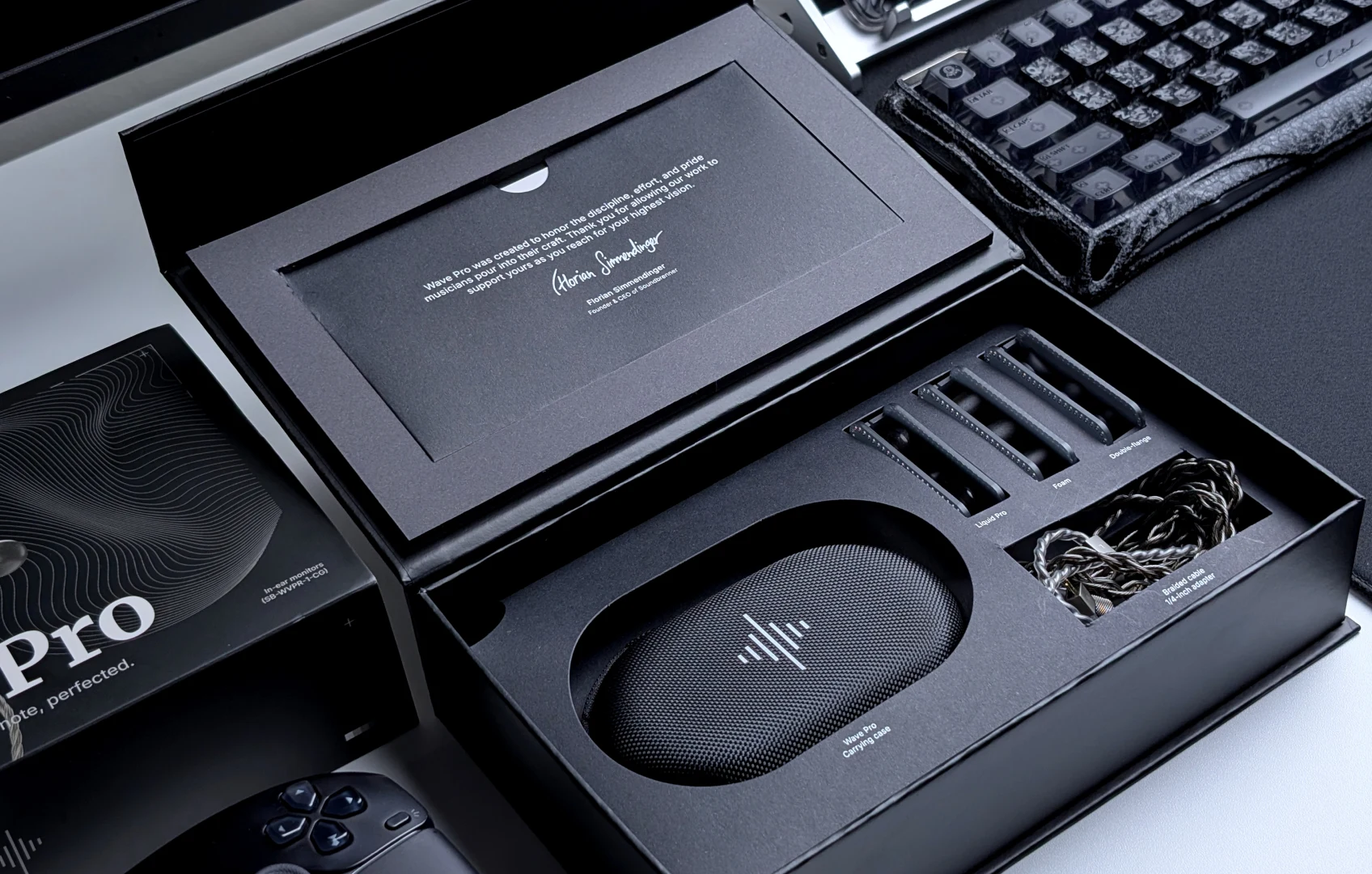
Wave Pro 2 is the premium version of that idea. The quad-driver hybrid array is there for separation in dense music. The metal build, thicker braided cable, swappable plug system, and deeper tip kit make it feel like a long-term desk audio tool rather than another tiny gadget waiting for a case battery.
Use the official Soundbrenner page to check the current Wave Pro 2 price, stock, USB-C connector options, accessories, and return terms before you buy.
Wave Pro 2 vs. Wave
Only now is the model choice worth discussing. If the desk problem is dead batteries, bad switching, glitches, thin sound, and not enough isolation, both models answer it. They just answer it at different levels.
Choose Wave Pro 2 if...
- You listen critically for detail, separation, vocals, bass texture, and room noise.
- You edit audio, make music, play instruments at the desk, or watch video where timing matters.
- You want Soundbrenner's premium driver setup, metal build, thicker cable, swappable connector system, and deeper tip kit.
- You want the more serious long-term desk listening upgrade.
Choose Wave if...
- You mainly want to escape Bluetooth chores, dead batteries, and connection glitches.
- You want a lower-cost wired upgrade for work, practice, and everyday listening.
- You care about fit, isolation, and simplicity more than maximum detail.
- You are buying your first serious in-ear monitor and want the practical version first.
The short version: Wave Pro 2 is the audiophile desk pick. Wave is the sensible wired reset. The important thing is that the category decision comes first. You are choosing a cleaner desk listening habit, then deciding how premium you want that habit to be.
If you are deciding between the two, compare the official Wave Pro 2 and Wave pages side by side, then choose based on how much detail, build quality, connector flexibility, and isolation you actually want at the desk.
The Desk Test I Would Run Before Deciding
If you buy a wired in-ear monitor for desk listening, do not judge it after ten seconds with the first tips you grab. The seal is the product.
- Try the tip sizes until bass and vocals feel stable at lower volume.
- Use the cable over the ear, not hanging straight down.
- Play one dense track, one vocal track, one video, and one quiet work block.
- Compare against your wireless earbuds without changing volume upward to compensate.
- Notice which setup makes you stop fiddling first.
That last test matters. The best desk audio upgrade is the one that disappears into the work and leaves the music intact.
Final Verdict
The generic wireless-earbud page has a hard job with desk and audiophile traffic. It has to sell freedom to people who are sitting still and convenience to people who came for clarity.
This is the better argument: if you spend hours listening at a desk, wired is not a step backward. It is the cleaner path. Soundbrenner Wave Pro 2 gives that path a serious, premium shape with detail, isolation, secure fit, and none of the Bluetooth battery or connection drama. Wave keeps the same logic simpler and more affordable.
If your desk is where you actually hear music, stop optimizing for pocket freedom. Optimize for the chair you are already sitting in.
Comments
No comments yet.