

 Written by Avery Knox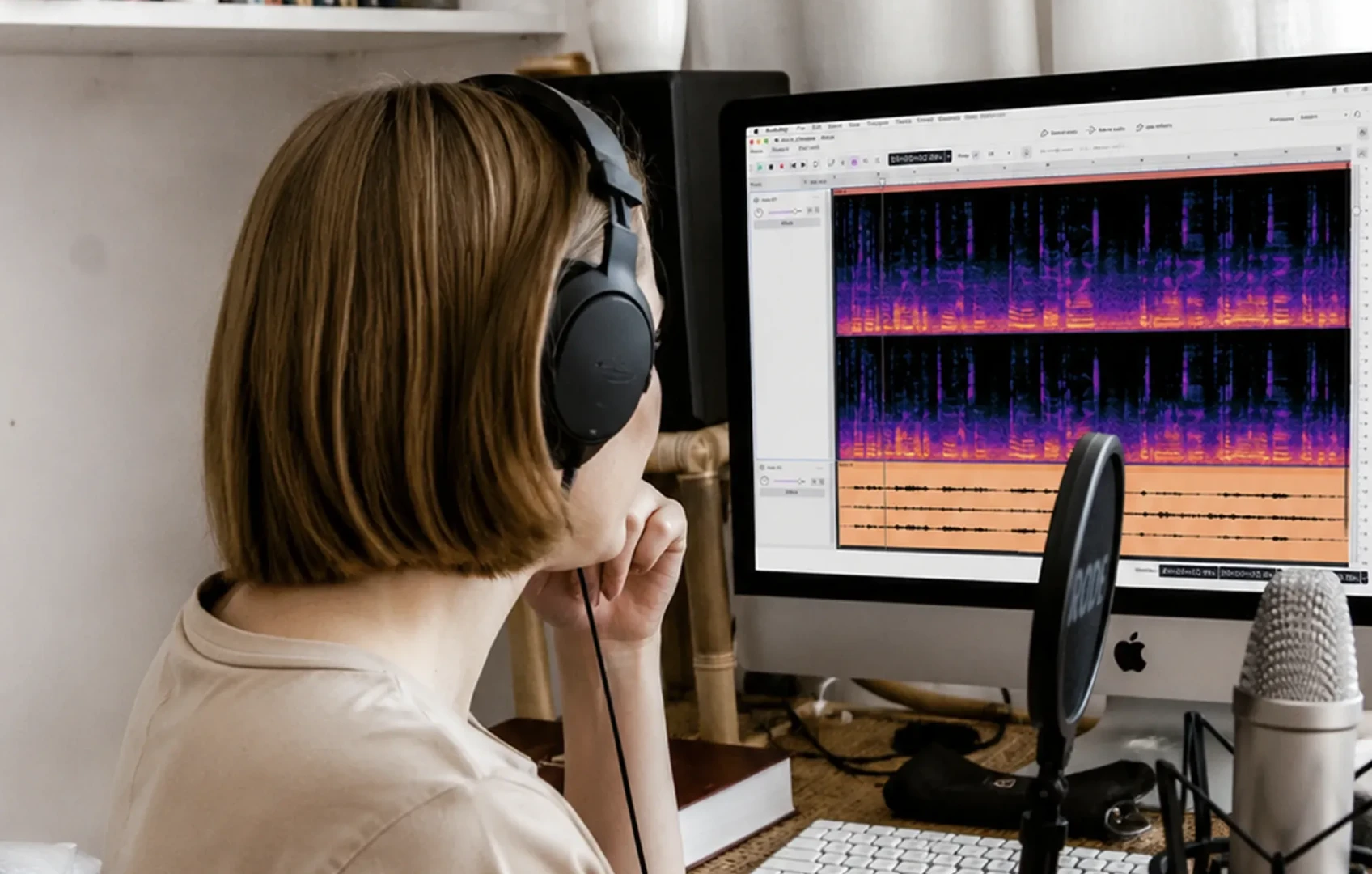
The utility drawer gets rearranged
Audacity has long occupied the utility drawer of the audio desktop. A field recording needs its dead air removed. A rehearsal take has one ugly spike. A voice memo must become a clean file before it enters a larger session. The editor opens, the waveform appears, and the job gets done without a subscription meter ticking in the corner.
MusicRadar describes Audacity 4 as the biggest update in the free and open-source editor’s 26-year history. The reported changes include an overhauled editing workflow, a polished interface, and new ways to organize work. Those phrases sound administrative until they reach the desk. Every altered menu, clip action, and project view touches a gesture that somebody has repeated thousands of times.
A mature editor earns trust through predictability. Audacity 4 therefore arrives with two jobs: make the software clearer for somebody opening it today, and avoid turning an experienced user’s quick repair into a hunt through unfamiliar controls.
Workflow reaches the fingertips
Interface polish earns the screenshot. Workflow changes decide how the hand moves.
Consider a producer cleaning a rehearsal take before sending it to the band. Their attention follows the performance, waiting for a count-in to disappear or a noisy pause to be shortened. Every extra interruption pulls the ear away from the music and toward the machine. Selection behavior, navigation, clip handling, and project management all influence that interruption, even when the resulting audio sounds identical.
Longtime users should reserve an unhurried session for Audacity 4. Familiar commands may still exist while their visual position or surrounding context feels different. Speed usually returns after repetition, but deadline work is a poor training ground. Keep the urgent podcast, archive transfer, or client revision on the known setup until the new route through the edit is clear.
New users have a different test. The editor should reveal common actions without demanding a tour of every advanced option. The useful measure is the time between hearing an unwanted breath and placing the cursor exactly where the repair begins.
Organization belongs in the signal chain
The new organizational options may be the least photogenic part of the report. They could also have the longest working life. Audio projects often become fragile before they become sonically complicated. One misnamed bounce, one overwritten source, or one mystery file called final-final can turn a small revision into an evening of forensic listening.
Whatever controls Audacity 4 provides, build a simple hierarchy around them. Preserve untouched recordings separately from working edits. Name files by source and state, such as `guitar_take03_source.wav` or `interview_edit02_review.wav`. Keep delivery files away from experiments. Export a full-length reference whenever a project reaches an approved state.
Organization also reduces the number of decisions made under headphones. A clearly labeled track tells the brain what it is hearing before playback begins. A visible distinction between source, edit, and delivery prevents the wrong file from entering the next stage. At 1:12 in the morning, a precise filename is considerably more useful than a vivid memory of where the good version probably went.
Build a pre-update recovery kit
No panic is required. A major editor update simply deserves the same preparation as changing an interface driver or replacing an essential plugin. Before moving active work into Audacity 4, assemble a compact recovery kit:
- Back up important project folders and original recordings to a second location.
- Export a full-length uncompressed reference from every project that may need another revision.
- Record the sample rate, bit depth, channel layout, essential effects, and required delivery formats.
- Write down five editing actions you perform constantly. These become a personal workflow benchmark.
- Finish deadline-critical work in the familiar version whenever scheduling allows.
- Read the official release and compatibility notes for your operating system, plugins, and file formats.
Only attempt a side-by-side installation when official guidance explicitly supports it. An improvised parallel setup can create fresh confusion about file associations, settings, and which application last saved a project.
This recovery kit exposes dependencies that routine use tends to hide. A session may rely on an old plugin, an unusual export format, or a naming convention understood by one person. A project copy, reference export, and settings note provide firmer ground than memory under a midnight deadline.
Open source changes the update contract
Free access removes a purchase decision from the migration. Open-source development also allows the software’s code to be inspected and potentially improved through contribution. Neither quality guarantees a painless update. They do widen the range of machines, experience levels, and working habits that a major redesign may encounter.
Tutorials can age quickly when controls move. An instructor’s screenshot may no longer match a student’s screen. A volunteer digitizing an archive may value stability above visual polish, while a first-time editor may need clearer signposting. Veteran complaints can identify lost speed. Beginner confusion can identify hidden assumptions.
Specific feedback is far more useful than declaring that something feels broken. Record the operating system, exact software build, smallest repeatable sequence of actions, expected result, and actual result. Include a non-sensitive example file only when the project’s reporting guidance permits it. That turns a cloud of frustration into a task somebody can reproduce at another desk.
Run a disposable-session test
The safest first project in Audacity 4 is one you can delete. Use a familiar, short recording and perform the same sequence you rely on during real work:
1. Import the file and confirm its duration and channel layout.
2. Complete a typical edit using the tools you normally need, including trims, splits, moves, fades, or level changes.
3. Save the project, close it, reopen it, and inspect the edit points.
4. If plugins are part of your workflow, load one essential effect, process a short section, and test undo and redo.
5. Export each format you regularly deliver, then reopen the exported file and listen near the beginning, middle, and end.
6. Only then open a copied older project and check track names, timing, clip placement, and audible processing against the reference export.
Compare old and new exports using the same playback level and monitoring chain. A denser-looking waveform can result from a display change rather than a louder file. If something differs, check project settings, export settings, and plugin state before assuming the audio engine is responsible.
A short sandbox cannot certify every corner of an editor. It can reveal the failures that would stop tonight’s work, such as a missing effect, an unfamiliar save process, or an export that does not match the required delivery.
A boring success condition
Audacity 4 is being asked to modernize a tool whose familiarity is part of its function. Users with breathing room can move early, document friction, and learn the revised workflow on disposable material. Anyone holding an active deadline or an unverified plugin dependency has a sound reason to wait for compatibility information and maintenance updates.
The biggest-update billing will ultimately be earned at ordinary desks. Old projects should remain understandable. Frequent edits should become quick again. Newcomers should spend less time guessing which control does what.
Success will look gloriously boring: a copied project opens, the cut lands where intended, the export survives a final listen, and the finished file reaches its folder before the coffee goes cold.
Comments
No comments yet.